BookKeepr 2.x
Bookkeeping for the business you actually run. Plan the month, record the entries, and see the year — on your own server. Free and open-source under the MIT license.
100% Free
What's included?
- The source code
- Docker image
- Mobile-first interface
- Free updates
How do we get it?
Clone the repository or pull the Docker image. Your books stay in a single SQLite file on your server.
Most bookkeeping tools are built for accountants. BookKeepr is built for the person who runs the business.
Plan the month before it starts. Record what actually happened. See the year without rebuilding a spreadsheet in January.
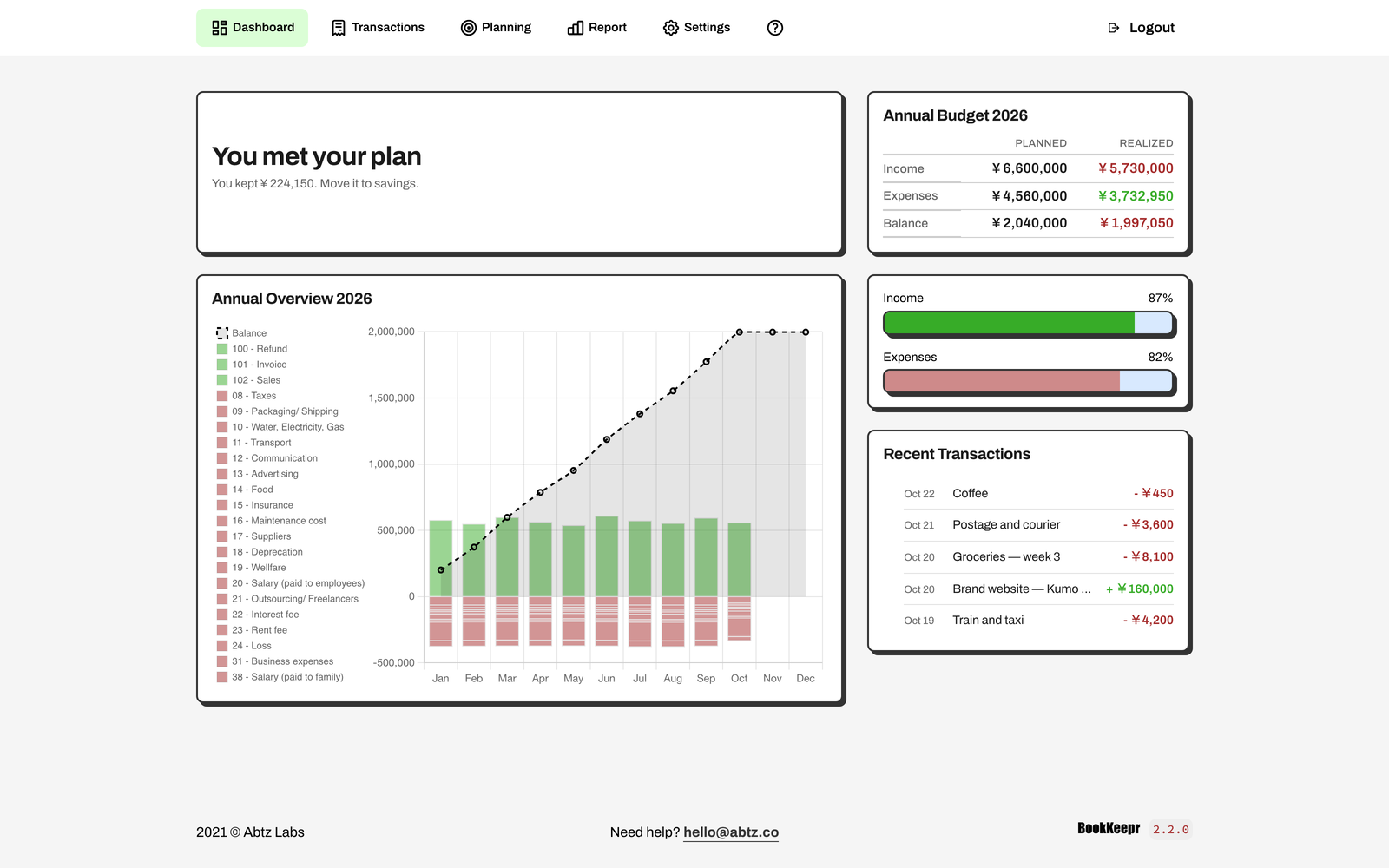
Your month, in one screen
The dashboard is the answer to a simple question: how is this month going?
It shows the month’s plan, the year’s progress, the latest entries, and one plain-language insight. No dashboard full of vanity metrics. If you are over plan, it says where. If you kept money, it says how much. If you have not planned yet, it tells you to start there.
The insight is deterministic, not generated. BookKeepr reads your own numbers and picks one useful sentence.
Plan before you spend
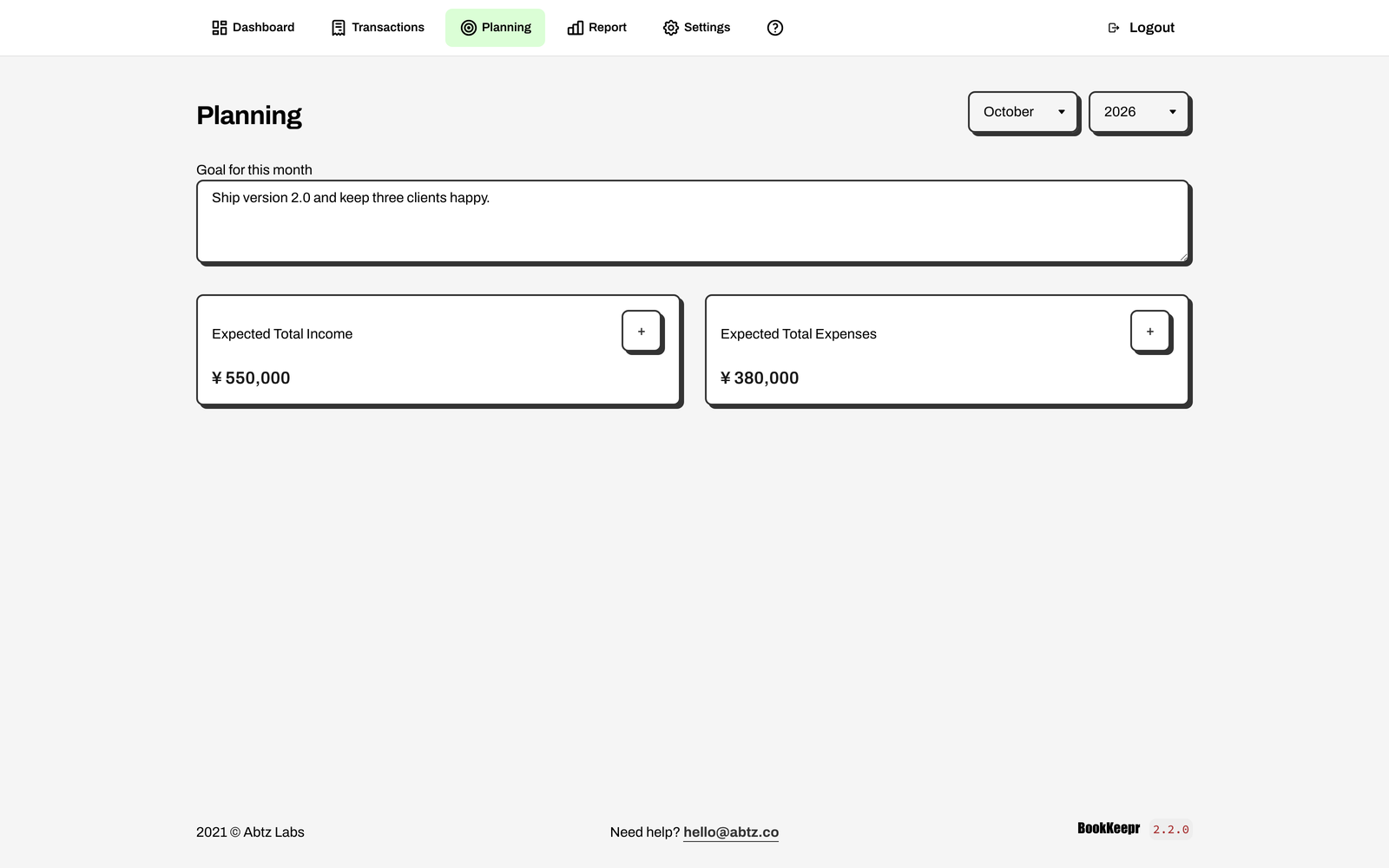
A budget is more useful when it survives contact with the month. Start with a goal, list expected income, and plan expenses by category. Mark each expense as Fixed or Variable, so BookKeepr knows what you can still control.
The dashboard and the transactions summary then compare the plan with what actually happened — income, expenses, balance, and progress. You do not have to remember last month’s intentions. They are on the screen.
Log it in seconds
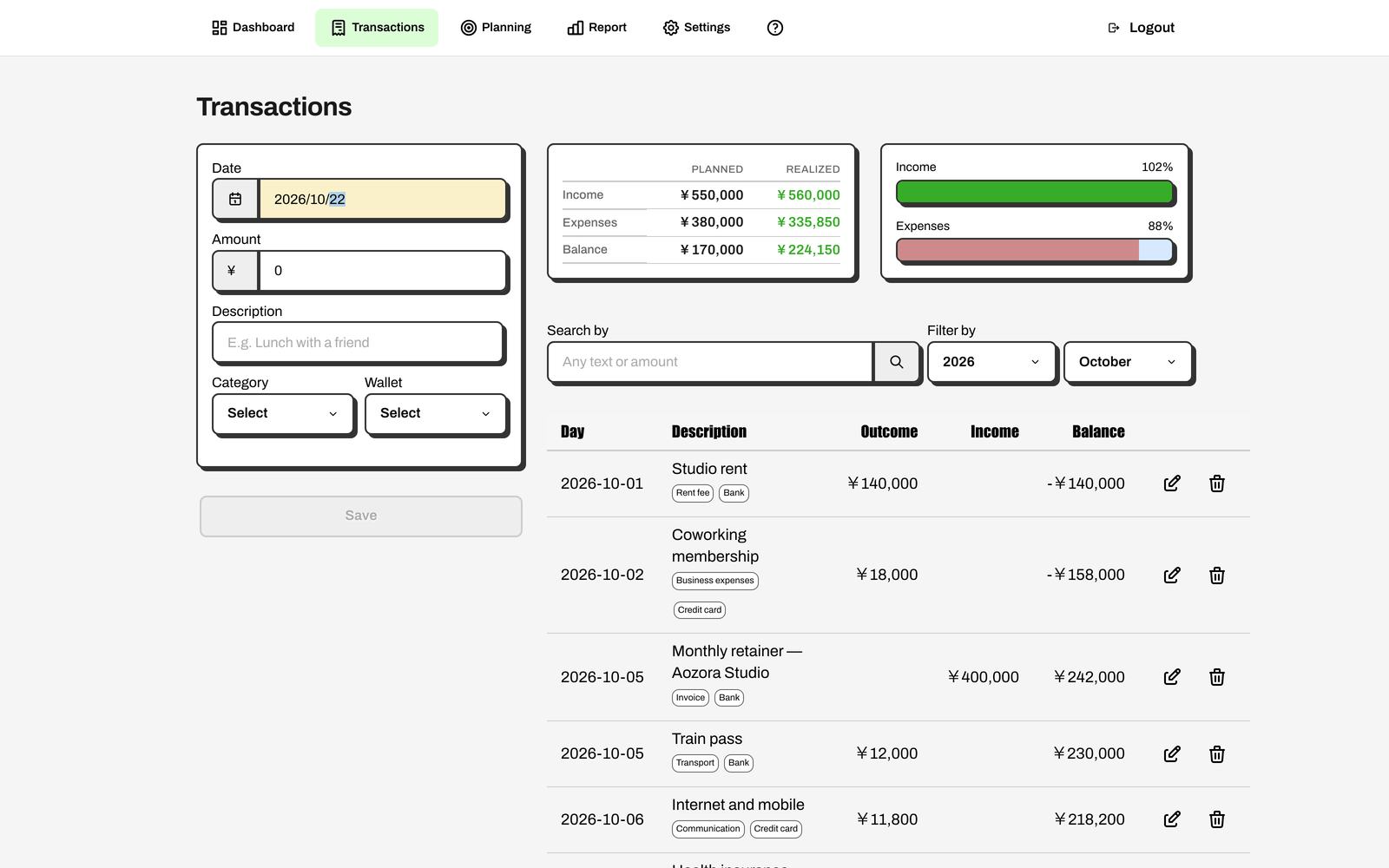
The entry form asks for the date, amount, description, category, and wallet. That is it. Keep the date and category after saving and record the next entry without reaching for the mouse.
The month’s history sits beside the form: a running balance, the category and wallet, and a search that matches text or amount. Use j and k to move through rows, and add the selected row to the built-in calculator.
Close the year without a shoebox
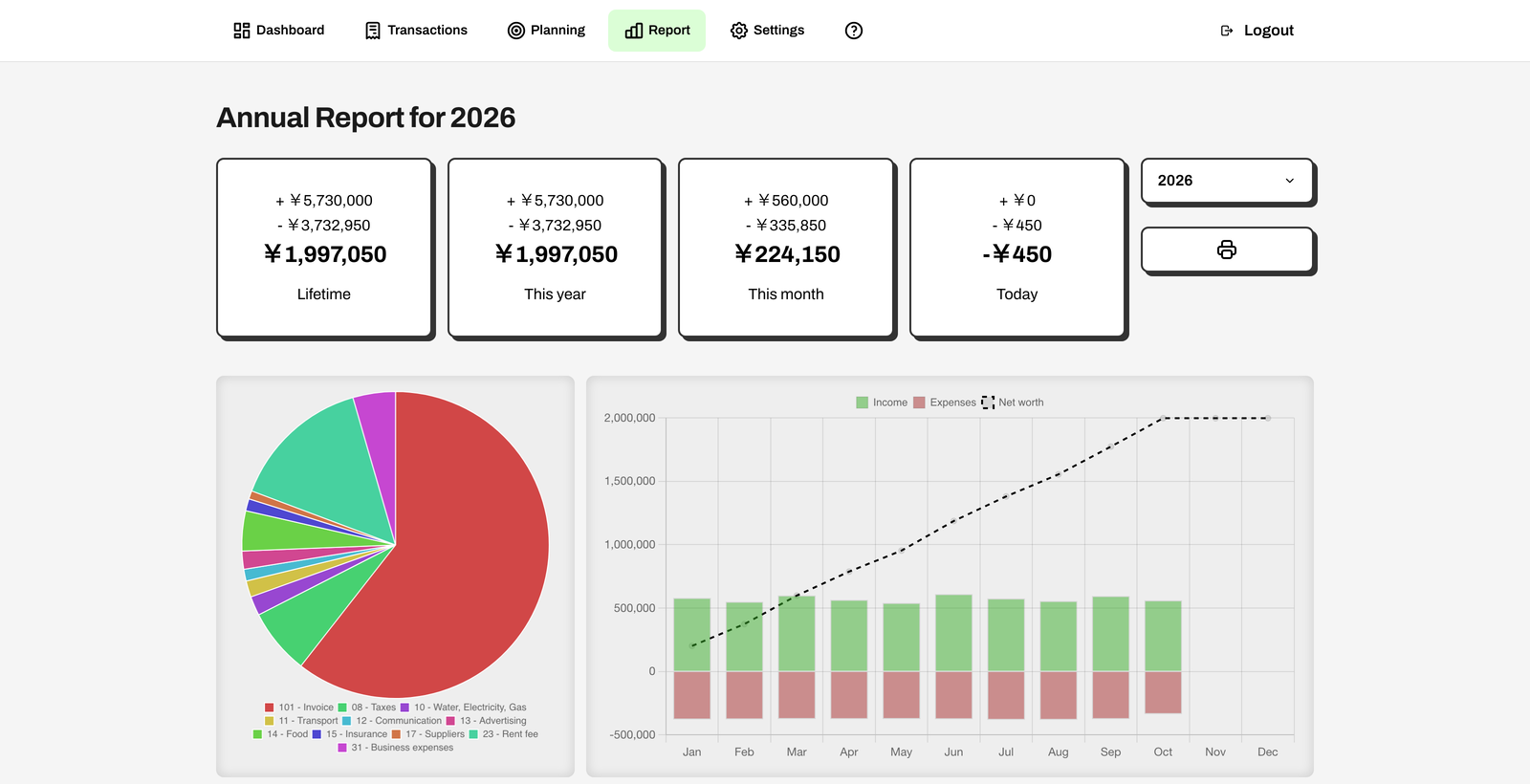
The annual report turns twelve months of entries into totals, a category breakdown, monthly income and expense bars, and a net-worth line. Switch years without leaving the page. Print it when your accountant asks for a copy.
The categories are yours. Rename them, deactivate them, and classify them as fixed or variable. BookKeepr follows your business, not a template.
A phone in one hand, your books in the other
BookKeepr 2 was designed on a phone first. The bottom bar keeps the five main areas one tap away, and every screen adapts to the width of the device instead of asking you to pinch and zoom. Wide tables scroll inside their own container.
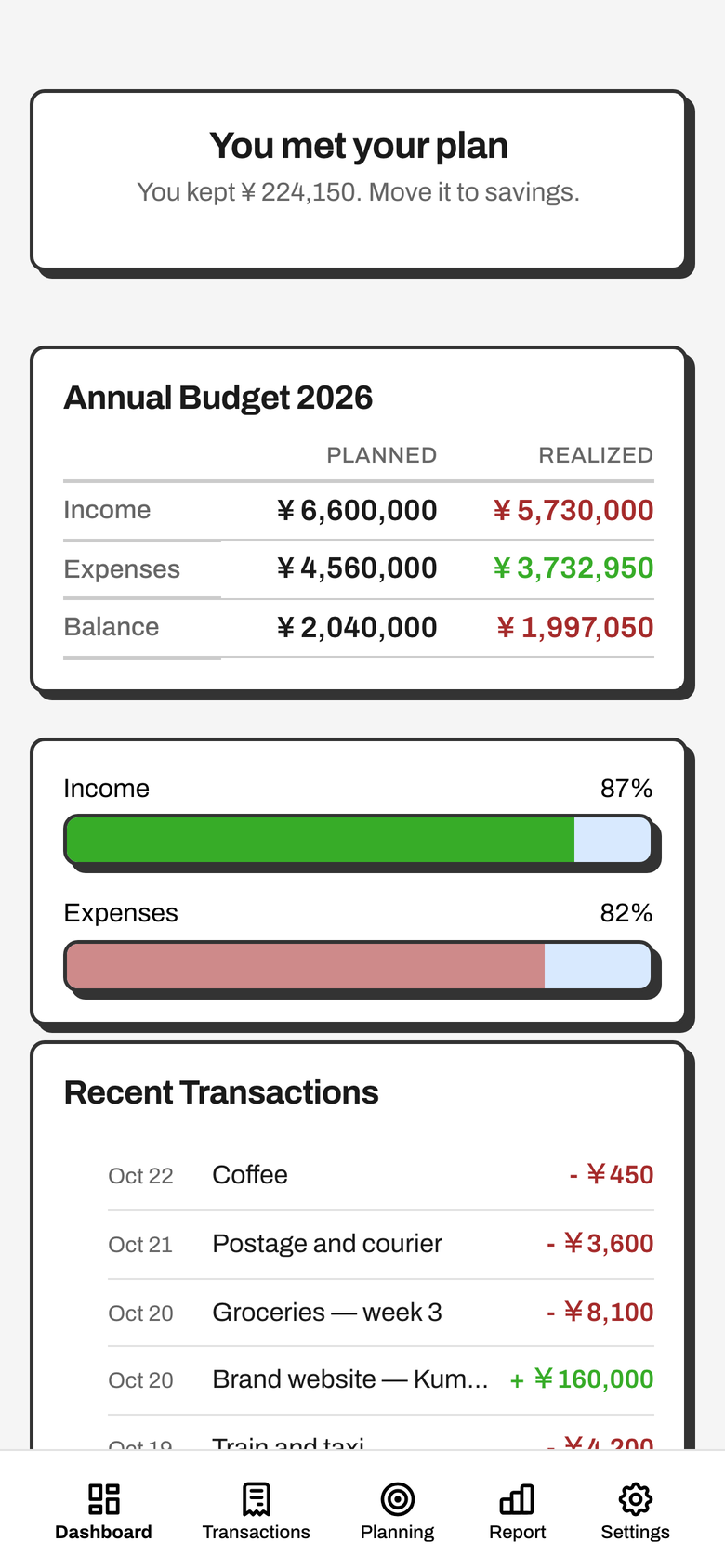
Dashboard
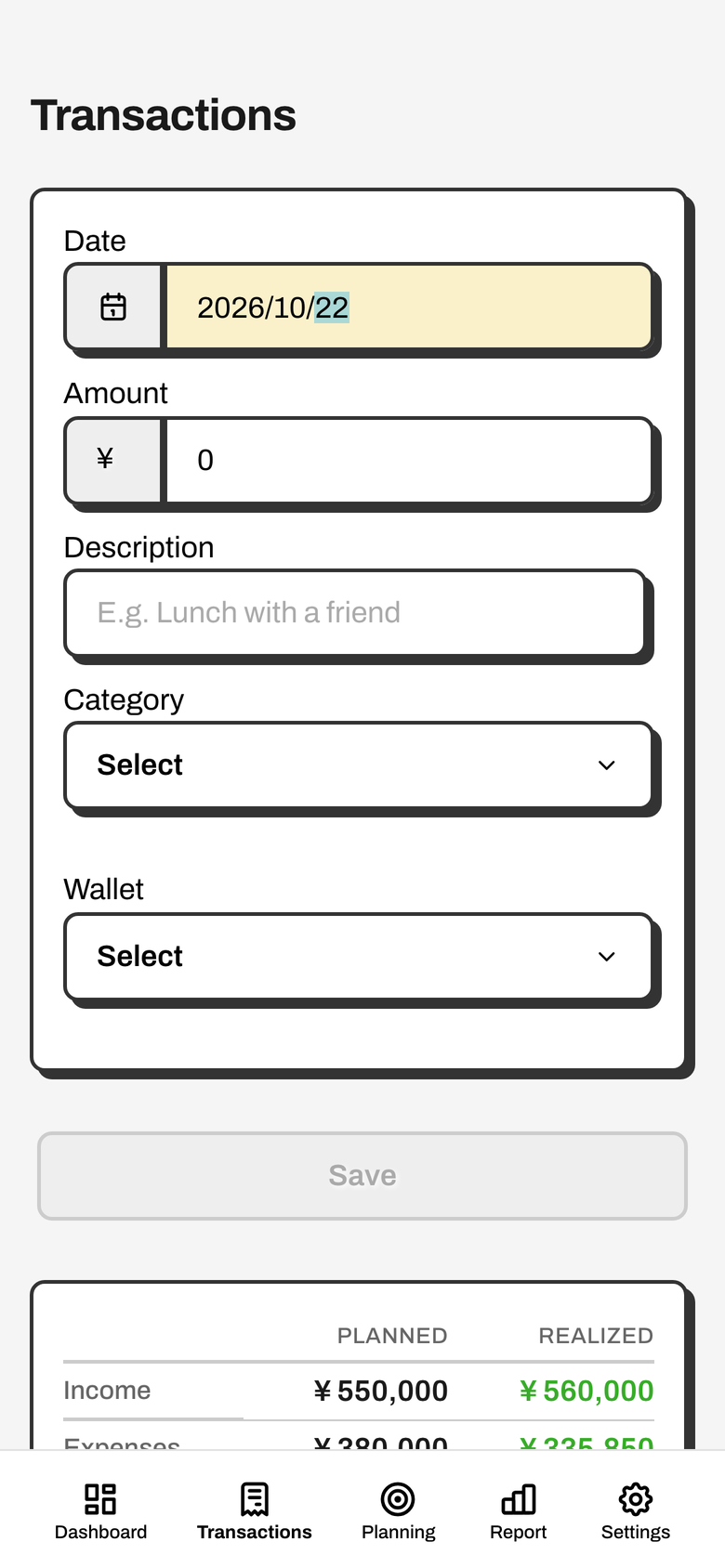
Transactions
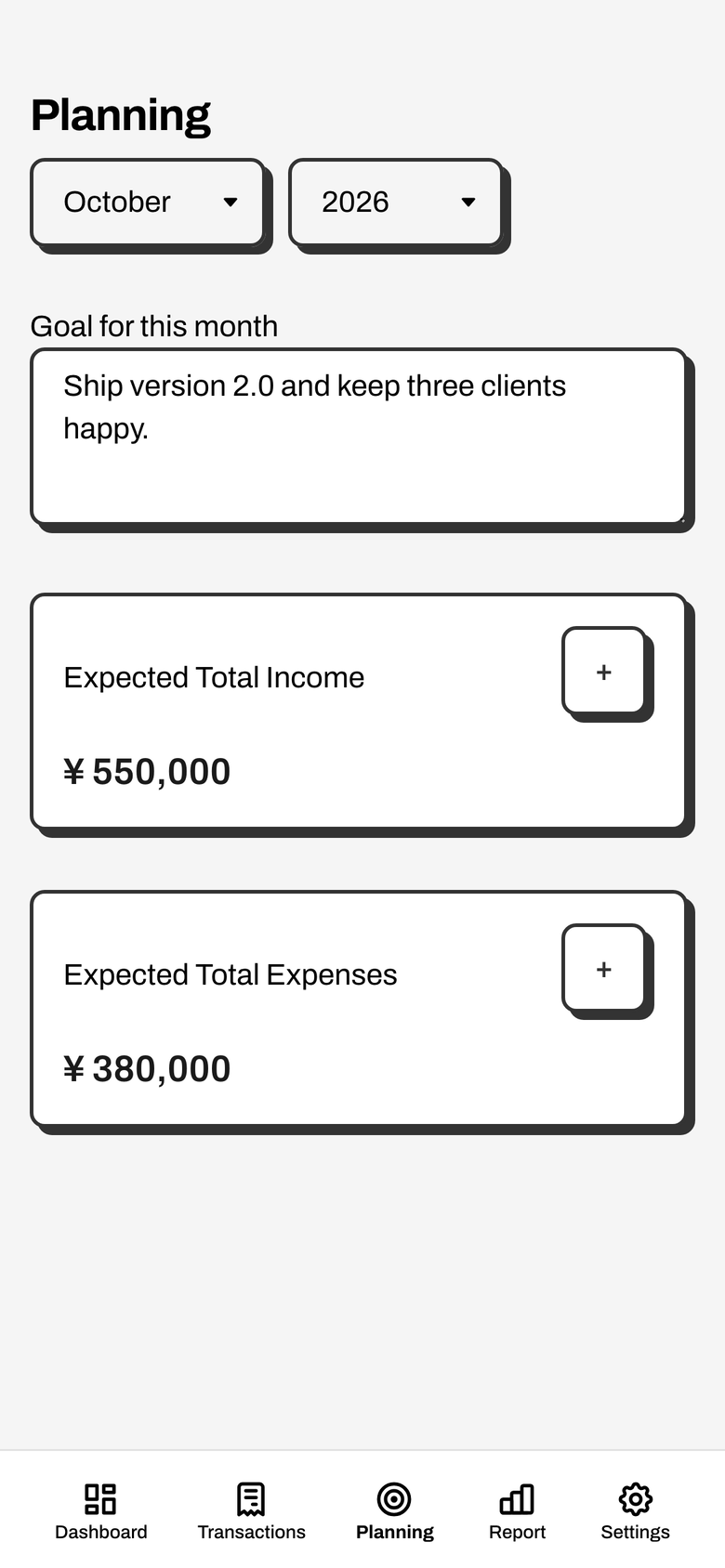
Planning
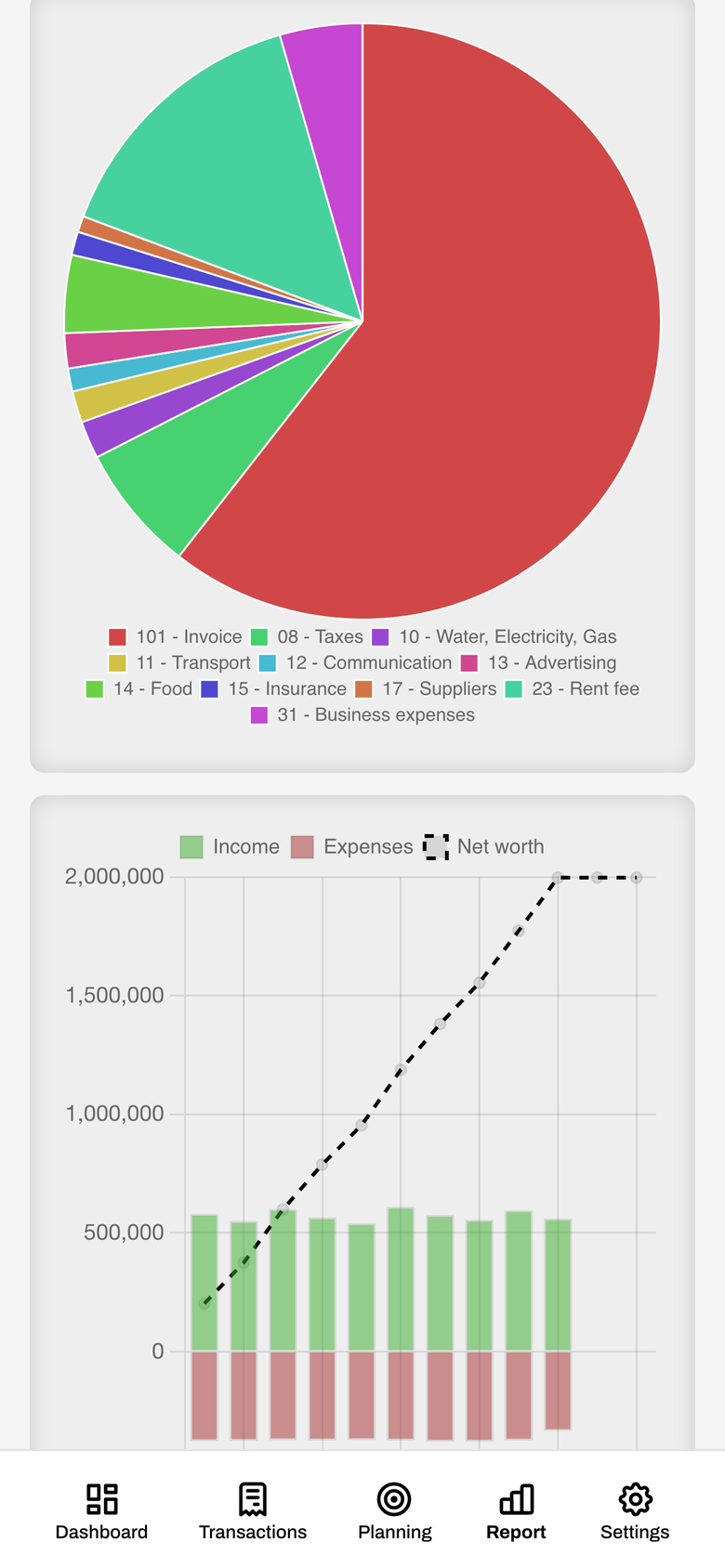
Report
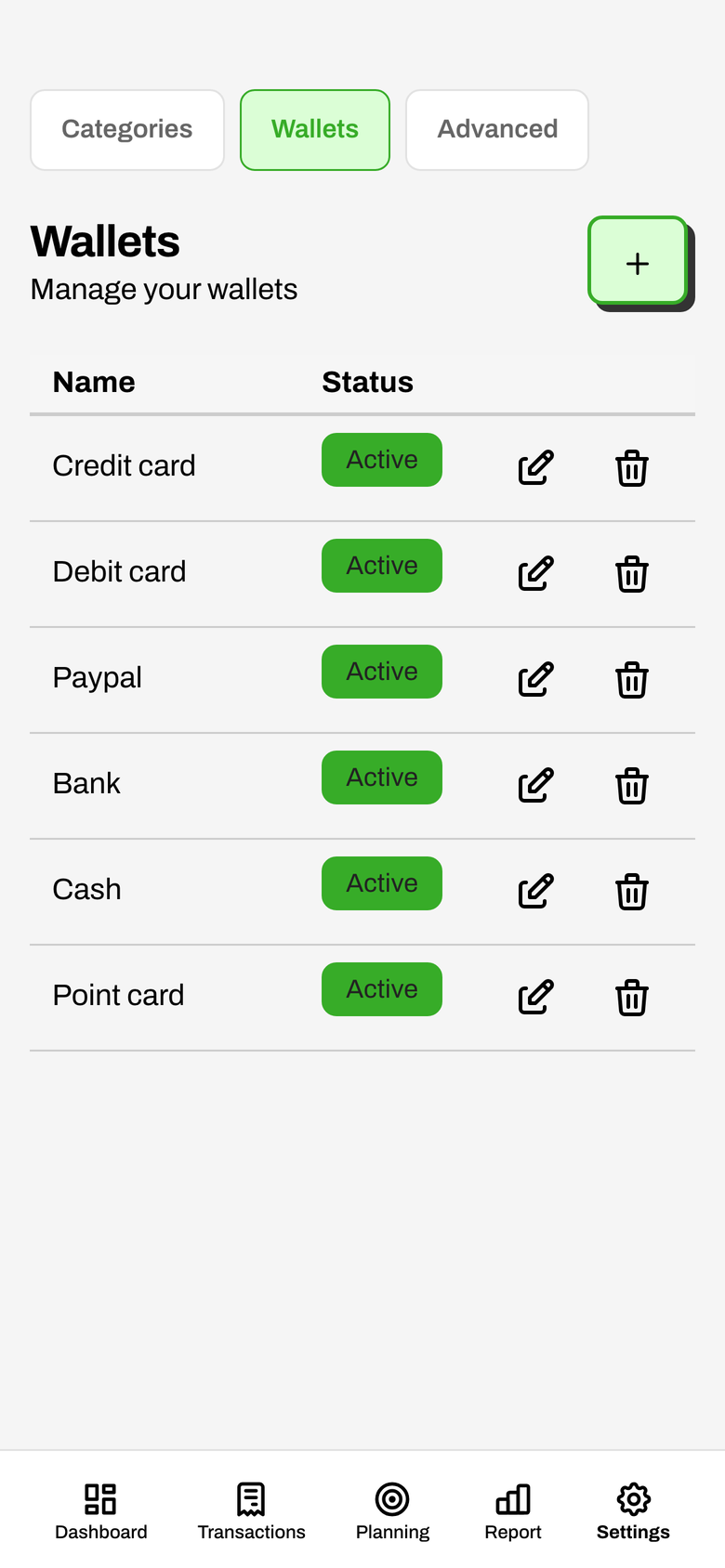
Wallets
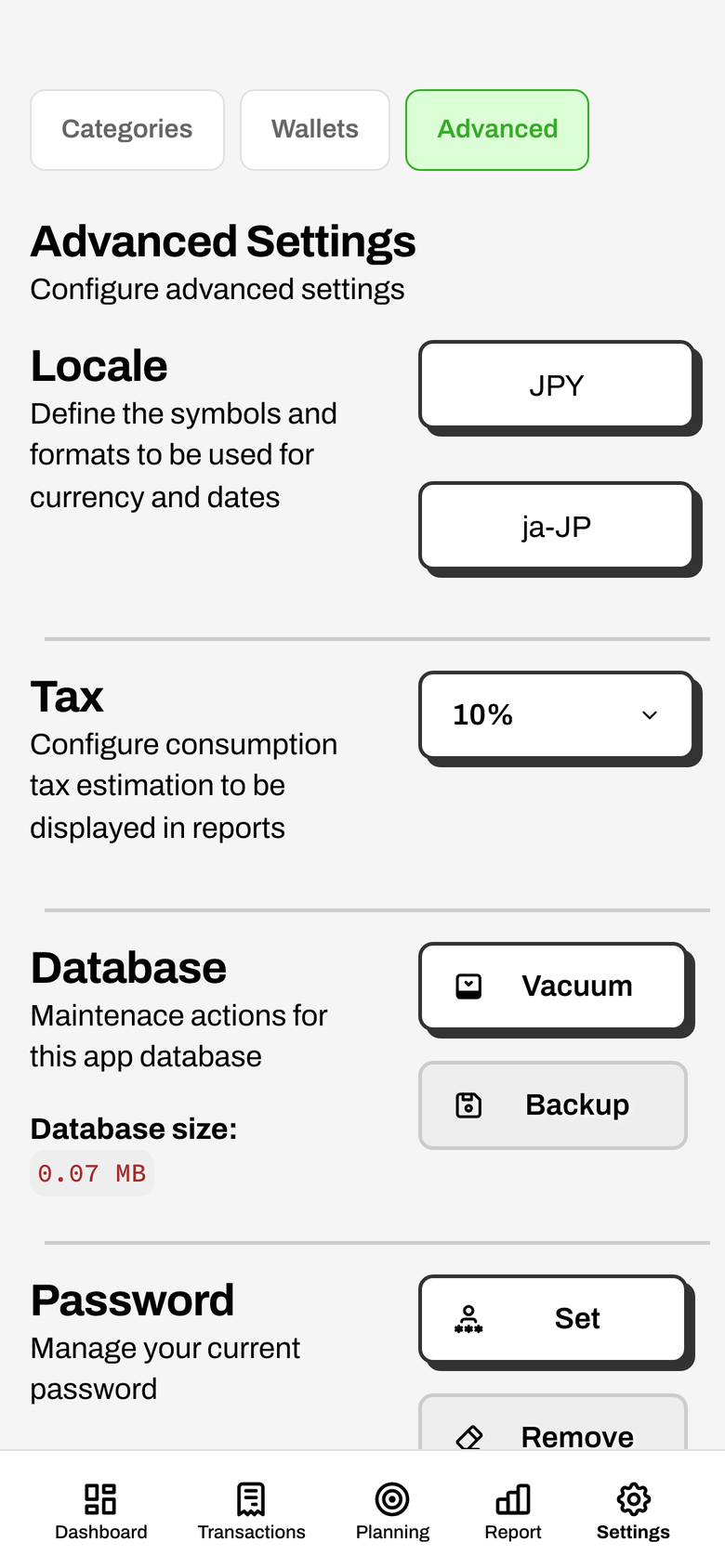
Advanced settings
Built for the keyboard
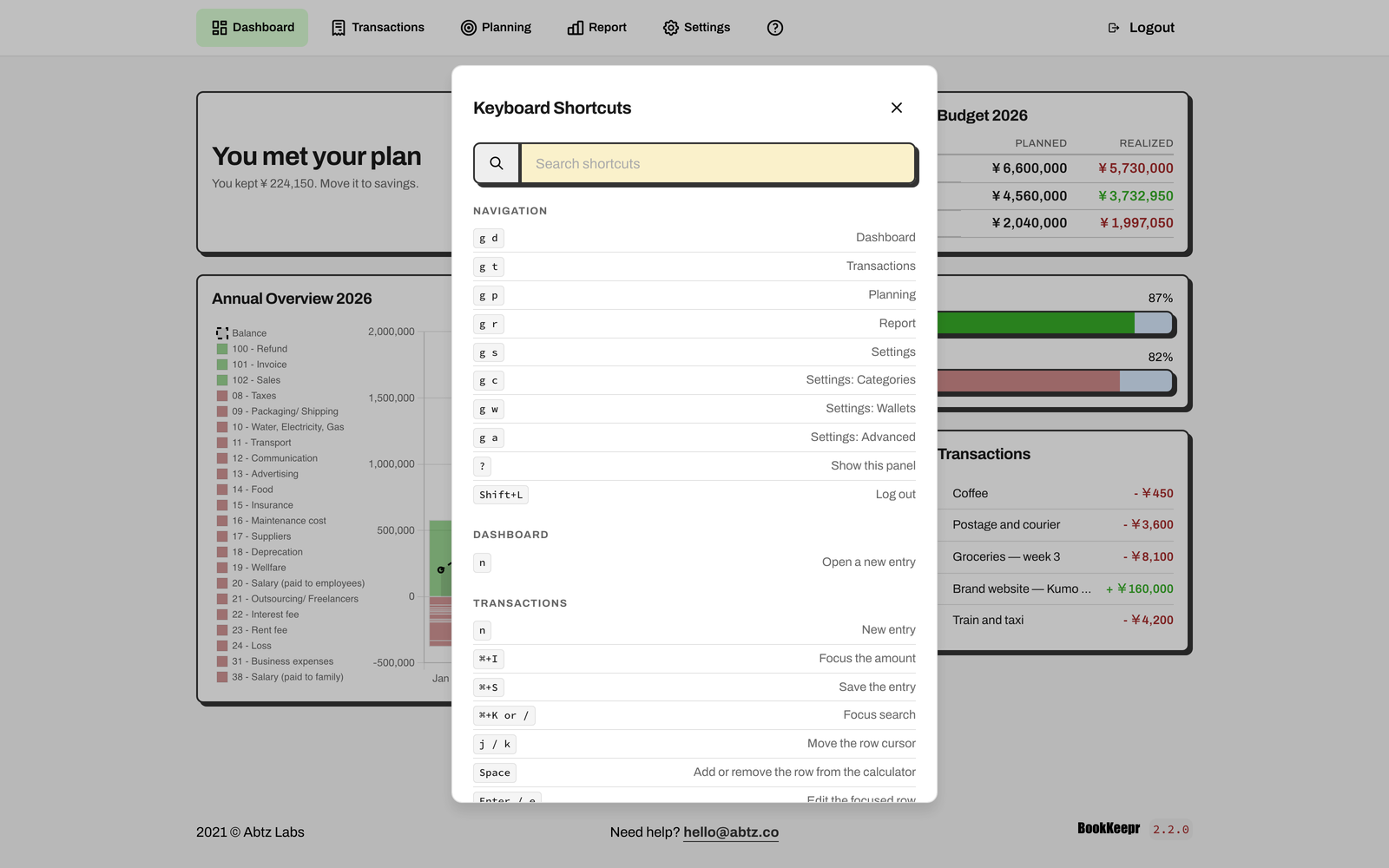
Press ? anywhere to open the shortcut panel. Jump to a page, start a new entry, focus the amount, save, search, or move through the table. The panel is searchable, so you do not have to memorise it.
BookKeepr is not “keyboard-only”. It is keyboard-first: the mouse still works, but the common path does not need it.
Your books. Your server. Your rules.
BookKeepr is a single Docker container and a single SQLite file. There is no account to create, no per-user fee, and no vendor holding your financial data.
Run it on a spare server, a small VPS, or a Raspberry Pi. Back up the data file. Move it. Inspect it. The source is MIT-licensed and open on GitHub.
What’s new in 2.x
- New dashboard with a monthly insight, annual plan, and recent transactions.
- Budget planning with income and expense calculators, plus Fixed and Variable expense types.
- Planned vs realized on the dashboard, the transactions page, and every report.
- Mobile-first redesign with bottom navigation and responsive layouts.
- Keyboard navigation with a searchable shortcut panel.
- Redesigned annual report with a category breakdown, net-worth line, and print layout.
- Reworked entry flow with a masked date input, a running balance, and faster search.
Who it is for
A good fit
- Freelancers and contractors in Japan
- Small businesses and studios that want a simple ledger
- People who want their books on their own server
- Anyone who prefers a keyboard to a spreadsheet
Not the right tool
- Teams that need payroll, invoicing, or bank sync
- Accountants who need multi-client ledgers
- Anyone looking for e-Tax filing or tax advice
- Businesses that need a hosted, zero-install service
System requirements
BookKeepr is packaged as a Docker container image. It runs on your own hardware, in the cloud, or on hosts like Linode or DigitalOcean. The minimum specs recommended are:
| RAM | CPU | Storage |
|---|---|---|
| 1GB | 1 Core | > 5GB |
Docker is the only hard requirement. A Linode Nanode 1GB is enough for a single user.
Referral link
Sign up for Linode using this link and get a $60 credit!
Frequently Asked Questions (FAQ)
How much does it cost?
BookKeepr is completely free and open-source. No ongoing fees, no monthly or annual charges, no per-user fees, and no support contracts.
How do updates work? Do they have extra costs?
Updates are free. They are not automatic: you download and install the new version when it is released. The database migrates automatically on start, but back up your data file before a major upgrade.
Are native iOS and Android apps available?
No. BookKeepr is a mobile-first web app that works in any modern mobile browser. You can add it to your home screen, but it is not an offline app.
Is my data sent anywhere?
No. BookKeepr runs on your server and stores everything in a local SQLite file. Backups and access control are your responsibility.
Does it file my Japanese tax return?
No. BookKeepr organises income and expenses, calculates totals, and produces reports that make filing easier. It does not connect to e-Tax or replace an accountant.
Can I use another currency?
Yes. Set the currency code and locale in Settings → Advanced. BookKeepr is designed with Japan in mind, but it is not limited to JPY.
Is customer support included?
Best-effort support is included. We can help with basic questions, but we cannot troubleshoot complex custom installations or fix issues caused by changes to the code.
Can we import data from other bookkeeping apps?
Not at this time. BookKeepr is designed for a fresh start.